 Back to Main Menu






Functions in A-level maths: learn smarter, not harder
Explore functions in A-level maths, including the most common types you’ll come across and simple mistakes to avoid.

Functions are everywhere in A-level maths – from algebra to calculus to mechanics. Understanding them is essential not only for answering specific exam questions, but for grasping the language of modern mathematics.
Yet many students struggle with this topic, often because functions can feel abstract or overly symbolic.
In this short guide, we’ll cover:
• What you’re really being asked in questions involving functions
• Common function types
• Easy mistakes and how to avoid them
• Casio calculator tips and exam pointers

Functions demystified: what you’re really being asked
At its core, a function is just a rule that links an input to an output. You put a number in, and the function tells you what comes out.
For example:
For f(x) = x², input 3 and you get 9
For g(x) = 2x + 1, input 4 and you get 9
Every function maps each input to exactly one output. Lots of exam questions on this topic are designed to test your knowledge of the rules of given functions and how they behave.
Functions can be combined, reversed, graphed and adapted in many ways, but they always follow a rule.
Common function types and how to spot them
Recognising function types quickly can help you better understand questions and apply the right methods in exams. Here are the key ones to know:
Linear:
Straight-line relationships where the rate of change is constant.
○ Example: f(x) = 2x + 3
Quadratic:
Curved graphs shaped like a U (or an upside-down U), with one turning point.
○ Example: f(x) = x² – 4x + 5
Exponential:
Functions where the variable appears as an exponent. These grow or decay increasingly fast.
○ Example: f(x) = 3ˣ grows rapidly; f(x) = (½)ˣ shows exponential decay
Composite:
When one function’s output becomes the input of another function.
○ Example: If f(x) = 2x + 3 and g(x) = x², the composite function f(g(x)) would be 2(x²) + 3
Inverse:
Functions that ‘undo’ another function and may involve working backwards to find the input.
○ Example: If f(x) = 2x + 3, then f⁻¹(x) = (x – 3)/2
Common pitfalls and how to avoid them
Even the most confident and capable students can lose marks on function questions due to avoidable errors. Here are three of the most common slip-ups, with some tips on how to avoid them.

Misinterpreting function notation
At A-level, notation can get more complex, especially with expressions like f(2x) or f(x – 3), which represent transformations of functions.
Tip: f(2x) compresses the graph horizontally, while f(x – 3) shifts it to the right. Be clear about whether you’re evaluating a value or describing a transformation. Use your calculator to experiment with different values and visualise the resulting changes.

Getting the domain/range wrong
The domain is the set of inputs a function accepts, while the range is the set of outputs it can produce.
Tip: Sketch a graph or test different values to spot limits (for example – square roots can’t take negative inputs). Visualisation can help to avoid guesswork.

Confusing inverse and composite functions
It’s easy to mistake f⁻¹(x) for f(g(x)) or vice versa, especially under pressure.
Tip: Remember that inverse functions undo a process, while composite functions apply one rule after another. Use arrow diagrams to trace inputs and outputs if you’re unsure.

Casio calculator tips and exam strategies
Casio scientific and graphic calculators are powerful tools for exploring and checking function behaviour. Here are some of the positive steps you can take to ensure you’re able to maximise the benefits of your device when it matters most: in exams.
Allow lots of practice time: Get familiar with your calculator well before exams so you know what it can do and how to access the right tools quickly.
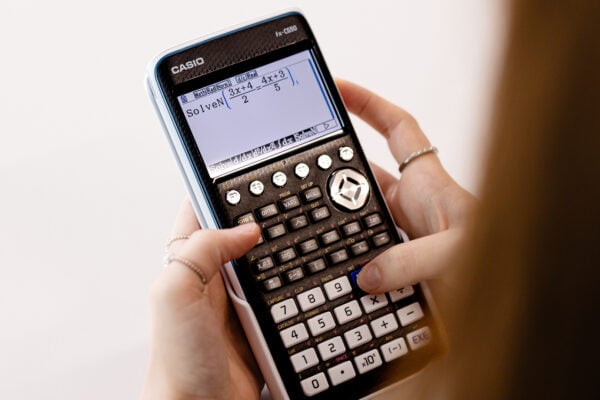
Use the full range of functionality: Casio graphic calculators like the fx-CG100 can plot functions, generate tables of values and provide visual demonstrations of function transformations.
Show your working: Marks are awarded for the methods you use as well as the answers you get. Always write down the steps you’ve taken and provide evidence to support your solutions.
Check for errors and patterns: Use your calculator to spot symmetry (like even/odd functions) or confirm your answers by testing values.
Trace and zoom on graphs: Use graph-tracing and zoom tools to explore domain/range, intercepts and turning points.

Resources to master functions
If you’re finding functions a challenge, there are plenty of resources out there that can help you get to grips with the topic.
A-level maths past papers: Practising function problems from real exam papers could help you prepare for the sort of questions you might face in your own assessments.
Maths Genie resources: This website offers an extensive library of resources covering topics including modulus functions, composite functions and inverse functions.
Bicen Maths YouTube guide: This video from Bicen Maths gives a summary of functions and graphs in less than 26 minutes, covering modulus graphs, transformations and more.
Blog
- Graphing technology
- Scientific calculators
- Exams
- Curriculum
- Classroom
- Students








Common mistakes in A-level statistics: probability distributions
Read more
Which Casio calculator does your class need?
Read more
Probability: key challenges and how calculators can help
Read more
Ratio: why is it such a challenge and how can a calculator help?
Read more
Moflin at MEI: how Casio’s AI companion is finding a place in the classroom
Read more
Which Casio calculator does your class need?
Read more
Probability: key challenges and how calculators can help
Read more
Ratio: why is it such a challenge and how can a calculator help?
Read more
Results day: supporting students with their next steps
Read more
Best A-level combinations: a comprehensive guide
Read more
Why is year 7 the perfect time to introduce scientific calculators?
Read more