Back to Main Menu




When is the right time to upgrade to a graphic calculator?
Scientific calculators play a key role in supporting students’ mathematical education throughout the early years of secondary school and up to GCSE.
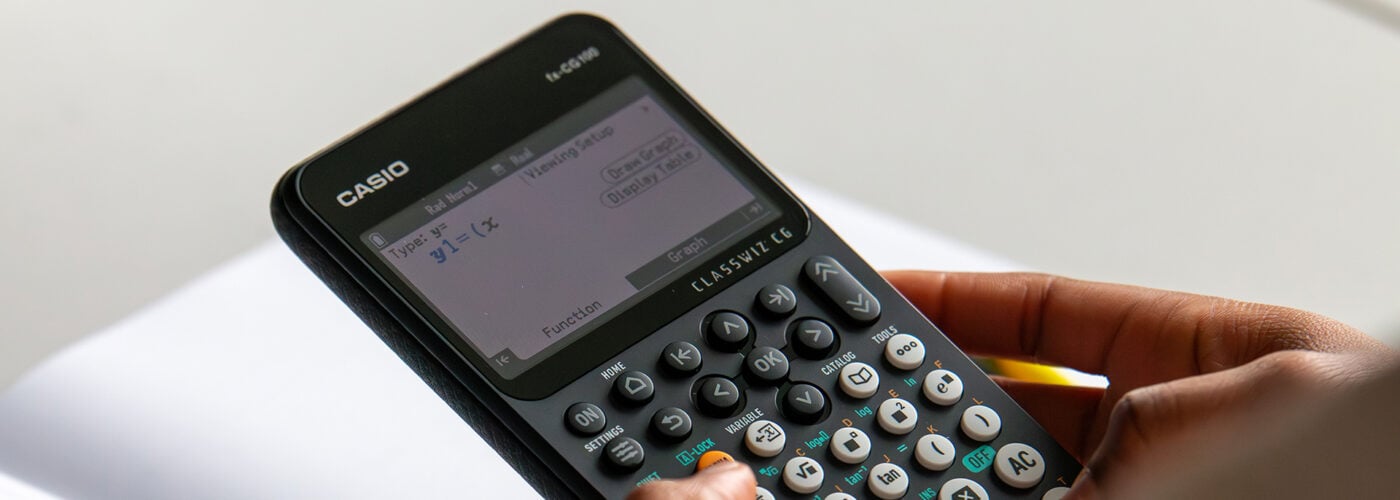
For those aiming for the highest grades at GCSE and considering A-level maths, a graphic calculator like the fx-CG100 offers even more opportunities to extend their learning, optimise their working methods and deepen their understanding.
The right time to move on from a scientific calculator
As students begin tackling higher-tier GCSE content and preparing for A-level maths, they need tools that support interpretation as well as calculation.
This is when a graphic calculator offers a serious advantage. It enables students to view and interact with mathematical ideas in different ways, helping them check results, explore patterns and approach problems more flexibly.
For those aiming to progress further in maths, this shift in how a calculator supports their thinking makes the move to a graphic calculator a logical next step.
Why upgrade? The benefits of graphing technology
A graphic calculator doesn’t just speed up calculations, it changes how students approach and understand maths. By combining visualisation with advanced functionality, a device like the fx-CG100 allows users to work more efficiently while developing deeper insights into the topics they’re studying.
Some of the key benefits and features of our most advanced graphing handset include:
- Graph&Table app: Students can plot functions and view tables of values alongside graphs, making it easier to connect algebraic and graphical representations.
- SolveN: Finds multiple solutions to equations (when they exist) and displays exact values. This helps with efficient checking of answers and allows students to focus on interpreting results.
- Dynamic graphing: Adjusting functions in real time enables exploration of how changes affect the shape and position of graphs.
- Statistics app: Supports data analysis with lists, regression models and statistical calculations, offering clear benefits and efficiency in A-level statistics work.
- Distribution app: Provides a visual and interactive way to calculate, plot and analyse various probability distributions, including normal and binomial.
Together, these tools help learners move beyond manual processes, giving them more time to focus on understanding, analysis and problem-solving.
When do these benefits pay off?
Students can begin using a graphic calculator during their GCSEs and will start to see the benefits when tackling more advanced topics. For example, graphing functions can support work on quadratic and cubic equations, while visualising transformations helps reinforce understanding of function behaviour.
The real value and power of a graphic calculator becomes clear when navigating the A-level curriculum. Topics like calculus, parametric equations and statistical distributions make regular use of the tools and visualisation methods that graphic calculators are specifically designed to support.
As with any tool, confidence comes with familiarity. Students who use a graphic calculator consistently over time will be able to confidently apply its features in exams. This is why we recommend at least two years of regular use throughout A-level studies as classes prepare for their final exams.
Those who adopt a graphic calculator earlier, during their GCSEs, will be in an even stronger position to go into their exams with complete confidence in the device and how to use it.
First steps: what to learn early on
For students moving from a ClassWiz or ClassWiz+ scientific calculator, the transition to the fx-CG100 should be straightforward. The key layout, menu structure and overall logic will feel familiar, making it easier to get started with confidence.
The most effective way to learn the calculator is simply by using it. Encouraging your classes to explore the different apps and features in a low-pressure environment can make a big difference. Experimenting with different inputs, prompts and settings will help to build confidence and understanding.
To support this early learning, you might also find it helpful to focus on a few core operations that appear regularly in both GCSE and A-level maths. For example:
- Plotting and interpreting graphs using the Graph & Table app
- Solving simultaneous equations numerically
- Exploring numerical and graphical integration
- Using SolveN to check solutions
We offer many other dedicated fx-CG100 resources that walk through key functions and processes step by step.
Every time they complete an operation and get a successful outcome, students will naturally absorb not only how the calculator works, but how it can support their mathematical thinking.
Recommended
Making the most of the fx-991CW+ UK for GCSE Higher maths
Read more
Exam readiness: the case for starting early
Read more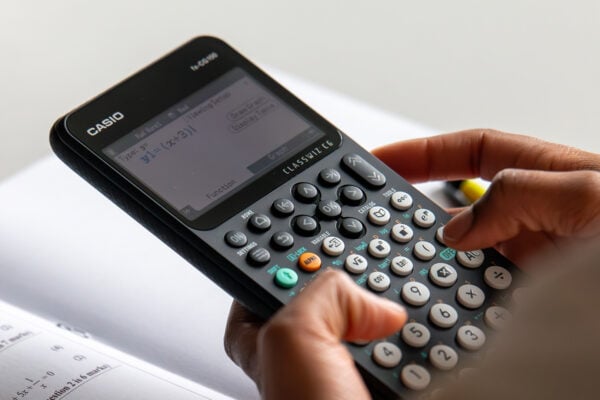
How to improve algebraic fluency at A-level
Read more