Back to Main Menu





How to improve algebraic fluency at A-level
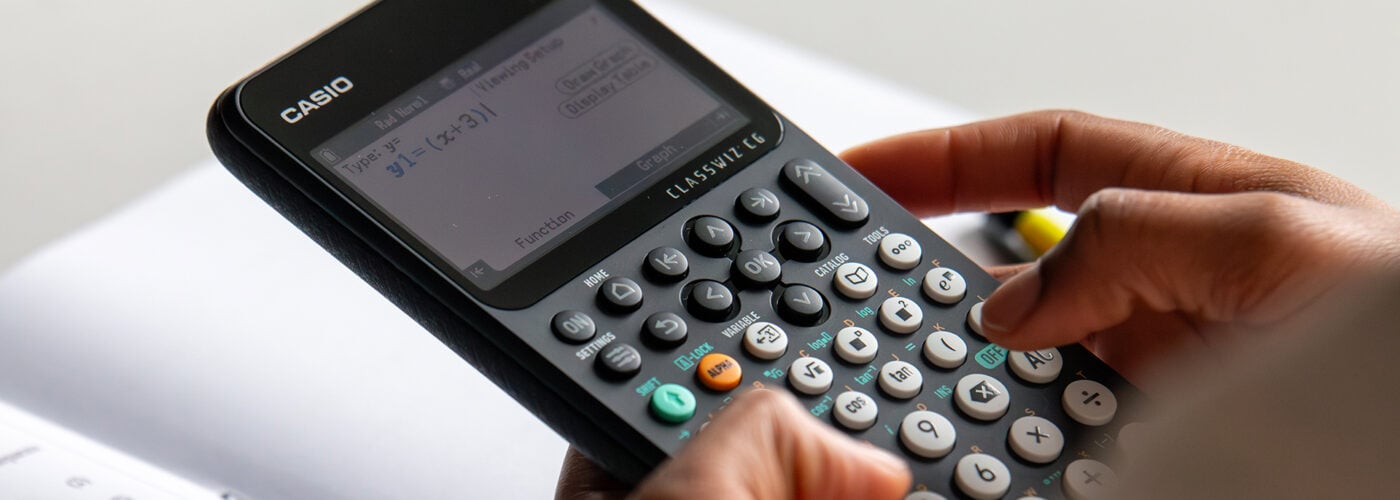
Strong algebraic skills underpin so much of A-level maths, but fluency doesn’t always come easily. Gaps in earlier learning, small errors and an over-reliance on remembered procedures can all become more noticeable as the maths gets harder.
Here are some practical ways to help your students strengthen their algebraic fluency, while making effective use of their calculators to check, explore and build confidence in their working.
Building on GCSE foundations
The barrier to tackling a challenging A-level problem might not be the new concept itself. A student could understand what they’re being asked to do, only to get stuck when they need to rearrange an expression, simplify an algebraic fraction or apply the laws of indices along the way.
Regularly revisiting core GCSE skills like fractions, surds, indices and manipulating expressions can help prevent these gaps from becoming stumbling blocks. Short retrieval activities can be useful here, particularly when they’re linked to the A-level topic your students are currently studying rather than treated as separate revision.
A graphic calculator like the fx-CG100 or advanced scientific calculator like the fx-991CW+ UK can provide another useful layer of checking. For example, students could substitute a value for x into an original expression and their simplified version to check they produce the same result. It doesn’t prove that their algebra is correct, but a mismatch immediately tells them there’s something worth going back and investigating.
Developing fluency through regular practice
Algebraic fluency isn’t just about completing lots of similar questions. Students also need to recognise when the same underlying structure appears in different forms and choose an efficient approach accordingly.
For example, you could start with x² − 9 and then give your students expressions such as 4x² − 25, x⁴ − 16 and (x + 2)² − 9. Asking what these expressions have in common before students start working can help them recognise the same underlying difference-of-two-squares structure in increasingly unfamiliar forms.
It can also be useful to ask students to explain why each factorisation works and then check it independently. On the fx-CG100, one option is to graph the original expression and its factorised form. If they’re equivalent, the graphs should coincide. If they don’t, students have an immediate reason to revisit their algebra and find where they’ve gone wrong.
Avoiding common algebraic errors
Sign errors, dropped brackets and mistakes with fractions or indices can quickly derail a longer A-level solution. Rather than simply telling students to check their work at the end, it can be more useful to build checking into the process.
Take an equation such as 3(x − 2) = 2x + 5. If a student expands the left-hand side incorrectly as 3x − 2, substituting their eventual solution back into the original equation will expose the mistake. The fx-CG100 can provide a quick independent check, allowing students to test whether the left- and right-hand sides give the same value.
As Casio training instructor and former teacher Simon May explains: “The calculator is really useful as a checking tool. If the answer doesn’t agree with your algebra, that’s not a reason to abandon your method – it’s a prompt to go back through your working and find out what happened.”
Building that habit can shift checking from something students do only when they have spare time to a useful part of solving the problem itself.
Building confidence through exploration
Algebraic fluency also means being able to make connections between equations, graphs and the effect of changing parameters. Giving your students opportunities to investigate those relationships can help algebra feel less like a collection of rules to remember.
For example, you could start with y = x² + bx + c and ask students to predict what will happen to the graph as b or c changes. Using the fx-CG100’s graphing tools, they can test those predictions and explore how changing c translates the parabola vertically, while changing b affects the position of its turning point and roots.
Simon elaborates: “Being able to change a value and immediately see what happens to the graph is really powerful. Students can make a prediction, test it and then think about the algebra behind what they’re seeing.”
Moving between algebraic and graphical representations in this way can help students recognise patterns and build a more flexible understanding of the relationships they’re manipulating on paper.
Developing confident and fluent algebraists
There’s no single shortcut to algebraic fluency. Secure foundations, varied practice and plenty of opportunities to explore and check ideas can all help your students become more flexible and confident in the way they approach unfamiliar problems.
The calculator can be part of that process without taking the place of the algebra itself. Used regularly, tools for graphing, solving equations and checking results can give students another way to test their thinking, investigate patterns and spot when something has gone wrong.
For more ideas on putting these tools into practice, take a look at our Resource Centre videos on graph analysis on the fx-CG100 and using SolveN to solve equations on the fx-CG100.



Recommended
ClassWiz+ compared: which model is right for your classroom?
Read more
From fx-991CW+ UK to fx-CG100: making the move at A-level
Read more
Making the most of the fx-991CW+ UK for GCSE Higher maths
Read more