 Back to Main Menu





How to solve simultaneous equations: methods, examples and calculator steps
We explore how to solve simultaneous equations using various methods, with step-by-step Casio calculator guidance for GCSE and A-level maths.

Whether your students are first learning to solve simultaneous equations at GCSE or tackling more advanced problems in A-level maths, choosing the right method is key. This guide covers substitution, elimination and graphical methods, with worked examples and step-by-step Casio calculator guidance to help students build confidence and check their answers.
Methods for solving simultaneous equations
There are several ways for your students to solve simultaneous equations, and the most appropriate method will depend on the equations they’re working with.
Substitution and elimination are commonly used methods for linear simultaneous equations, while graphing can provide a helpful visual representation by showing when two lines intersect.
The sections below explain each approach and explore how Casio calculators can support students as they solve and verify their working.

Substitution method
The substitution method works well when one of the equations can easily be rearranged to make a single variable the subject. It’s one of the first approaches your students will encounter when learning to solve simultaneous equations and is particularly useful for many linear simultaneous equations at GCSE.
For example, consider the following pair of equations:
x + y = 10
x − y = 4
Start by rearranging the first equation to make x the subject:
x = 10 − y
Next, substitute this expression into the second equation:
(10 − y) − y = 4
Simplify and solve:
10 − 2y = 4
−2y = −6
y = 3
Finally, substitute y = 3 back into x = 10 − y:
x = 10 − 3 = 7
So the solution is:
x = 7, y = 3
Students using the fx-991CW+ UK can also use the Equation app to check their answer by completing the following steps:
1. From the HOME screen, select Equation.
2. Choose Simul Equation.
3. Select 2 Unknowns.
4. Enter the coefficients for each equation into the coefficient editor.
5. Press EXE after each value to move to the next field.
6. Once all coefficients have been entered, press EXE again to display the solutions.
The calculator returns x = 7 and y = 3, allowing students to quickly check their algebraic working. Encouraging students to solve the equations manually before verifying their answer with a calculator helps reinforce the substitution method while building confidence in their solutions.

Elimination method
The elimination method is often the quickest way for your students to solve simultaneous equations when the coefficients of one variable are already the same, or can easily be made the same by multiplying one or both equations. This approach is widely used when solving linear simultaneous equations at GCSE and provides a straightforward alternative to substitution.
Consider the following simple examples:
2x + y = 11
2x − y = 5
Because the coefficients of y are +1 and −1, adding the two equations eliminates y immediately:
(2x + y) + (2x − y) = 11 + 5
4x = 16
x = 4
Substitute x = 4 back into either original equation:
2(4) + y = 118 + y = 11
y = 3
So the solution is:
x = 4, y = 3
Again, students can check their answer on the fx-991CW+ UK using the Equation app.
1. From the HOME screen, select Equation.
2. Choose Simul Equation.
3. Select 2 Unknowns.
4. Enter the coefficients into the coefficient editor.
5. Press EXE after each value.
6. After entering the final value, press EXE again to display the solutions.
The calculator returns x = 4 and y = 3. Encouraging students to compare this result with their manual solution provides a simple way to identify sign errors or arithmetic mistakes before moving on to more complex problems.

Graphical method
The graphical method allows your students to solve simultaneous equations by plotting both functions and identifying the point where the two graphs intersect. While this approach may not be as commonly used for GCSE exam questions as substitution or elimination, it can help students develop a stronger visual understanding of systems of equations and why a solution exists.
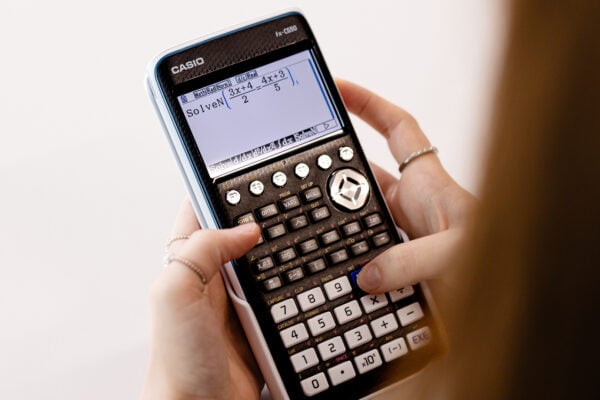
Students using the fx-CG100 to solve simultaneous equations graphically can plot functions on the same axes and use the graphing tools to identify the coordinates of the intersection. This makes it particularly useful for exploring more complex equations and checking solutions visually.

How simultaneous equations appear in GCSE and A-level exams
Your students are likely to encounter simultaneous equations throughout GCSE and A-level maths, with the level of challenge increasing as they progress.
At GCSE, questions typically focus on solving linear simultaneous equations using substitution or elimination. At A-level, students may also be asked to solve quadratic simultaneous equations or apply simultaneous equations within a wider problem-solving context.
For example, one question in a recent AQA GCSE Higher paper presented students with the following equations:
y = x² + 7x − c
y = 3x + d
Students were told there is a solution when x = 5 and were asked to work out the value of c + d.
Rather than solving the simultaneous equations directly, students were expected to substitute x = 5 into both equations before equating the resulting expressions. This tested their ability to select an efficient method rather than applying a standard technique automatically.
AQA’s examiner report noted that many students successfully substituted the given value of x, but some lost marks through sign errors when rearranging the resulting equations. Others attempted to solve for c and d as a pair of simultaneous equations, leading to unnecessary calculations and, in some cases, trial-and-improvement.
Encouraging your students to identify the most appropriate method before they begin working, and to check their algebra carefully, can help them avoid these common pitfalls.

Common mistakes when solving simultaneous equations
When following the relevant processes correctly, students should be able to get to grips with solving simultaneous equations. However, there are many common missteps that can easily crop up along the way and lead to an incorrect answer.
Mistakes to look out for include:
Incorrectly eliminating variables: Using the wrong operations to eliminate a variable – for example, a student adding when they should subtract or vice-versa.
Mishandling negative numbers: It’s easy for students to make mistakes when adding, subtracting, multiplying or dividing negative numbers, and the smallest error will give a wrong answer. To avoid this, it may be helpful to work out these steps separately.
Not multiplying every term: When scaling an equation to match coefficients for elimination, students often multiply the variable terms but forget to apply the same multiplication to the constant on the other side of the equals sign.
Using their calculator effectively can help students eliminate many of these errors, so it’s important they know how to operate their devices properly when solving simultaneous equations.
Real-world applications of simultaneous equations
Beyond GCSE and A-level maths, simultaneous equations are used whenever two or more unknown values need to satisfy a set of conditions at the same time. Your students may encounter these ideas later in subjects such as engineering, economics, physics and computer science, where mathematical models are used to solve real-world problems.
FAQs
Simultaneous equations FAQs
Yes. Your students should be confident using methods such as substitution and elimination to solve simultaneous equations by hand, particularly in GCSE and A-level maths. A calculator can then be used to check their answers and build confidence in their working.
The substitution method involves rearranging one equation and substituting it into the other. The elimination method removes one variable by adding or subtracting the equations. Both methods arrive at the same solution, but one may be more efficient depending on the equations involved.
Yes, but it depends on the type of equations. Linear simultaneous equations usually have one solution, no solution or infinitely many solutions. Quadratic simultaneous equations can have up to two solutions because a line can intersect a curve at two points.
The substitution method is often the better choice when one equation can easily be rearranged to make a variable the subject. Elimination is usually quicker when the coefficients of one variable are already equal, or can easily be made equal by multiplying one or both equations.
Yes. After solving the equations manually, students can enter the coefficients into the Equation app on the fx-991CW+ UK to verify their solution. This provides a quick way to identify arithmetic or sign errors while reinforcing the algebraic methods they’ve used.
Whether you’re teaching simultaneous equations or introducing other equation-solving techniques, the Casio Education Resource Centre provides a range of materials to help, including practical guides and classroom support.
Alongside resources dedicated to simultaneous equations, you’ll find content covering topics such as using SolveN on the fx-CG100 and solving polynomial equations on the fx-991CW.
Blog
- Curriculum
- Graphing technology
- Scientific calculators
- Exams
- Classroom
- Students

Common mistakes in A-level statistics: probability distributions
Read more
Which Casio calculator does your class need?
Read more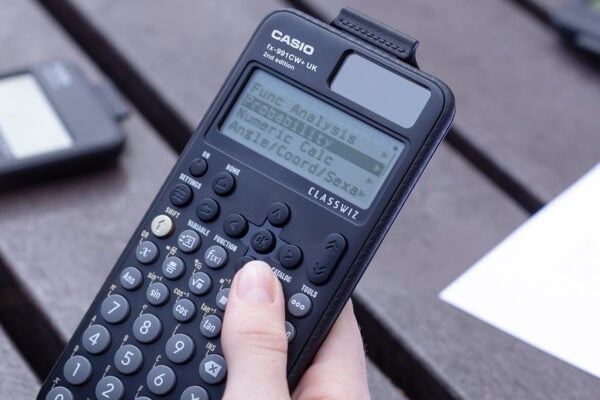
Probability: key challenges and how calculators can help
Read more
Ratio: why is it such a challenge and how can a calculator help?
Read more
Are graphic calculators allowed in GCSE maths exams?
Read more
From fx-991CW+ UK to fx-CG100: making the move at A-level
Read more
How to improve algebraic fluency at A-level
Read more
Seb Bicen’s top tips for using the fx-CG100 in exams
Read more
ClassWiz+ compared: which model is right for your classroom?
Read more
From fx-991CW+ UK to fx-CG100: making the move at A-level
Read more
Probability: key challenges and how calculators can help
Read more
Ratio: why is it such a challenge and how can a calculator help?
Read more


Moflin at MEI: how Casio’s AI companion is finding a place in the classroom
Read more
Which Casio calculator does your class need?
Read more
Probability: key challenges and how calculators can help
Read more
Ratio: why is it such a challenge and how can a calculator help?
Read more
Results day: supporting students with their next steps
Read more
Best A-level combinations: a comprehensive guide
Read more
Why is year 7 the perfect time to introduce scientific calculators?
Read more