Back to Main Menu




From fx-991CW+ UK to fx-CG100: making the move at A-level

Students moving from GCSE to A-level maths might find that the calculations look familiar at first, but the questions soon become more demanding. There’s greater emphasis on understanding how functions behave, interpreting solutions and making connections between different mathematical ideas.
The fx-991CW+ UK – our most advanced scientific calculator – provides a strong foundation for this work. However, there are clear advantages to upgrading to a graphic calculator as students progress through the course.
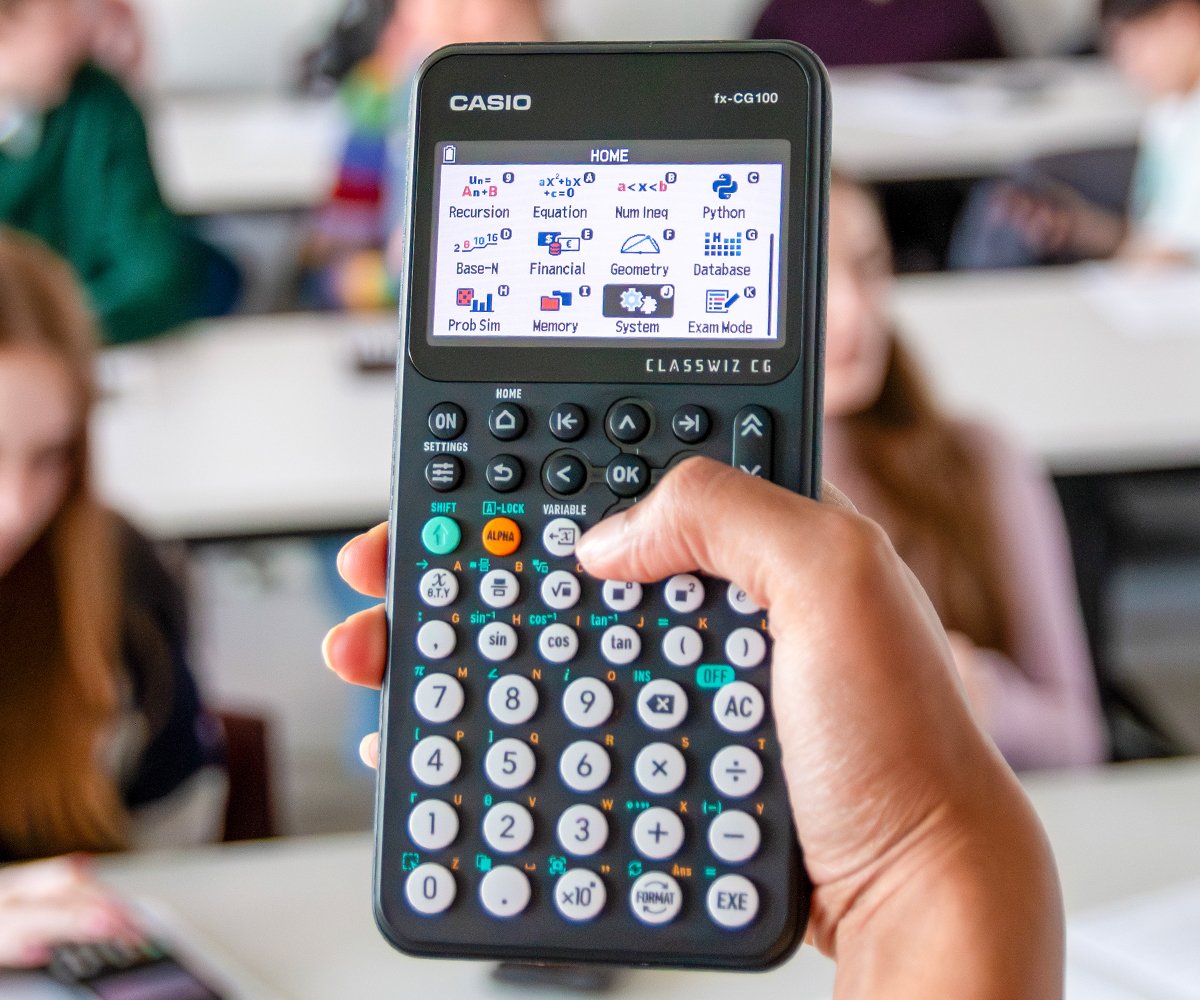
So when is the right time to make that move? In this blog, we look at what the fx-CG100 adds to the familiar scientific calculator experience and how its visual tools can support learning and problem-solving at A-level.
A strong foundation with the fx-991CW+ UK
The fx-991CW+ UK offers plenty of functionality to support A-level maths students as the content becomes more demanding.
Its Equation app solves simultaneous linear equations and polynomials up to the fourth degree, presenting quadratic solutions in exact surd form where possible. Students can also calculate numerical derivatives and definite integrals, work with matrices and complex numbers, and use the Distribution app for Binomial, Normal and Poisson probabilities.
The Table app provides another useful way to explore functions by generating corresponding values of x and y.
These are all useful capabilities at A-level and the familiarity students have developed with the handset is a valuable starting point. Moving to the fx-CG100 builds on that foundation, adding new ways to visualise and investigate the mathematics they’re working with.
When is the right time to move to a graphic calculator?
As students progress through the A-level curriculum, there are more opportunities to benefit from seeing the maths as well as calculating it.
For example, a question involving the intersections of a line and a curve might require them to find multiple solutions, while a problem involving differentiation could require investigation of turning points or the behaviour of a function over a particular interval.
The fx-991CW+ UK can support the calculations involved, but the fx-CG100 adds the ability to plot and analyse these functions directly on the handset.
That’s one of the main reasons we recommend making the move at the very beginning of the A-level course, or even earlier for students planning to continue with maths beyond GCSE.
Starting in year 12 gives plenty of time to build familiarity with the graphing tools as new topics arise, rather than having to learn the calculator’s capabilities alongside exam revision.
One app, three views
One of the most useful features of the fx-CG100 is its Graph&Table app, which allows students to move between a function, its graph and a corresponding table of values just by pressing the left and right tab keys.
Take the function f(x) = x³ − 4x² + 2x + 4, for example.
Generating a table of integer values from x = −1 to x = 3 reveals a sign change between −1 and 0, suggesting a root within that interval. There’s also a root at x = 2.
But the table doesn’t give the full picture. Between x = 2 and x = 3, the function dips below the x-axis before rising again, creating another root that the integer steps miss.
This becomes clear when students switch to the graph view in Graph&Table. With a suitable graph viewing window, the curve reveals the additional root, illustrating how visualising a function can show information that might not be immediately obvious from a table of values alone.
Students can then use the graph analysis tools to pinpoint the roots and turning points, or go into the Calculate app and use SolveN to find the three exact solutions: 2, 1 + √3 and 1 − √3.
These results provide another point of comparison with their own algebraic working, reinforcing the relationship between the equation, its solutions and the shape of the graph.
From lessons to exams
The benefits of moving between different representations extend well beyond exploring individual functions. As students encounter more challenging A-level topics, graphing is a useful way to check their methods and make sense of their results.
When working with differentiation, for example, students can plot the equation of a tangent alongside the original curve. Seeing the two graphs together gives them a visual check on the gradient and point of contact, helping them identify potential errors in their working.
Trigonometry provides another useful example. Plotting a function alongside a horizontal line can show how many solutions exist within a particular interval, making it easier to confirm none have been missed when solving the equation algebraically.
The fx-CG100 can also help with integration, offering the functionality to shade a region under a curve so students can visualise the area they’re being asked to calculate.
And it’s not just pure maths where visualisation comes into its own. In statistics, the Distribution app can display probability distributions graphically, with relevant regions shaded. For Normal and Binomial probabilities, this helps students see what their calculations represent and assess whether their answers are reasonable.
In each case, the visual tools provide an additional way to explore and check the maths, rather than replacing the methods students need to know.
Making the move to the fx-CG100
For students already comfortable with the fx-991CW+ UK, the transition to the fx-CG100 should be a relatively straightforward one. The two calculators – and indeed the broader ClassWiz+ range – share a similar key layout and menu structure, so many of the operations students already know will feel familiar.
That continuity also creates opportunities to build on existing skills. A student who knows how to generate a table of values on the fx-991CW+ UK, for example, can take the same function into the fx-CG100’s Graph&Table app and explore what the corresponding graph reveals.
While the fx-991CW+ UK remains a capable calculator for A-level maths, moving to the fx-CG100 at the start of year 12 gives students more time to explore these additional tools and develop confidence using them across different topics.
For teachers looking to get started with the fx-CG100, we offer free training covering the calculator’s key features and how to make effective use of them.


Recommended
ClassWiz+ compared: which model is right for your classroom?
Read more
From fx-991CW+ UK to fx-CG100: making the move at A-level
Read more
Making the most of the fx-991CW+ UK for GCSE Higher maths
Read more