 Back to Main Menu






ClassWiz+ FAQ’s
Do you have any questions on the new ClassWiz+? You’ve come to the right place.
Everything you need to know about the new ClassWiz+ range.

Sign up for an online launch webinars
To help get you started with ClassWiz+, we will be hosting a selection of launch events.
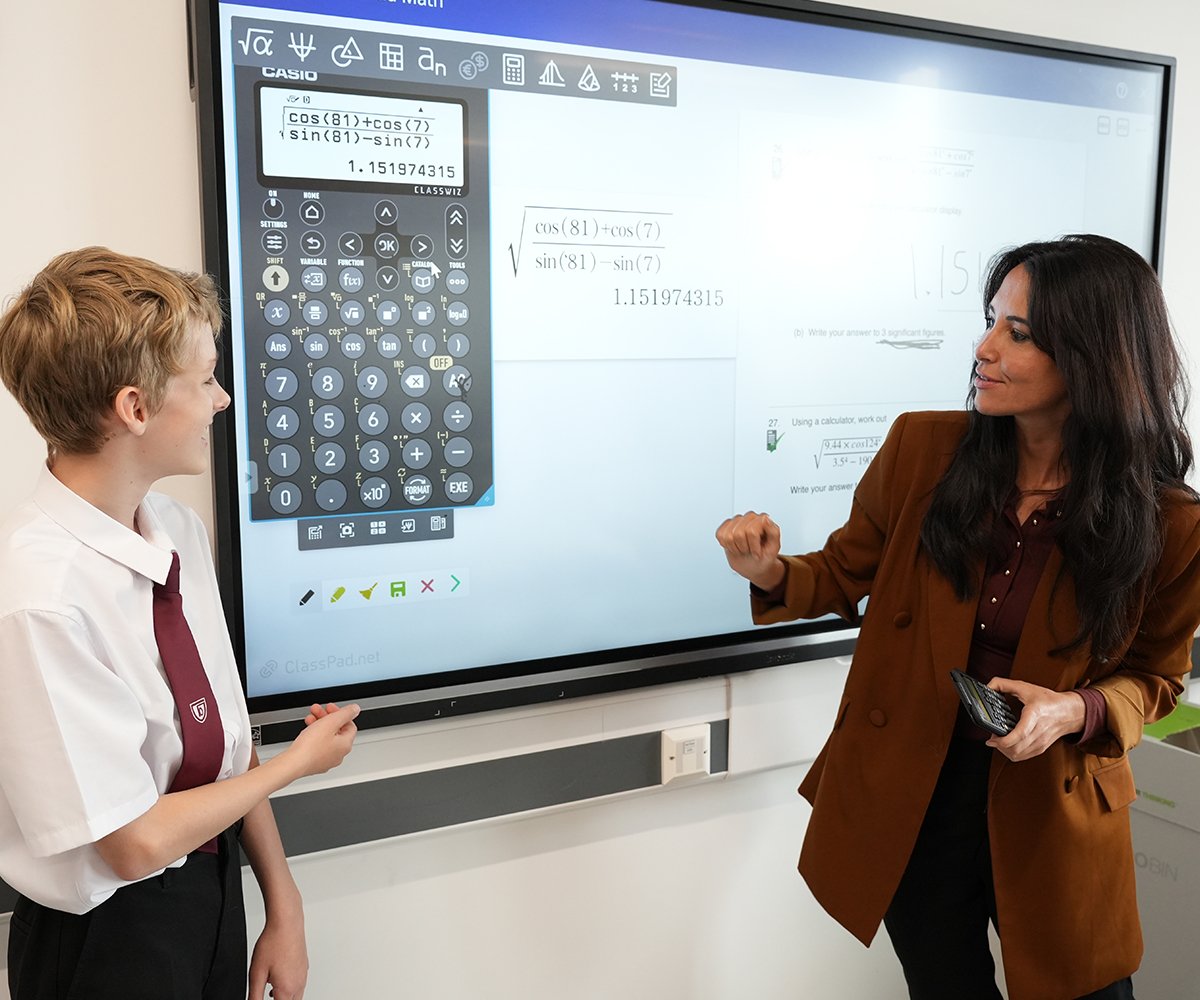
ClassWiz+ is on ClassPad
Teachers in the UK, Channel Islands, Isle of Man and Ireland can request a free licence for use in classrooms.

Purchase for school
Join our programmes to benefit from supported pricing available to UK schools on selected graphic and scientific calculators.
FAQs
Why are you changing again?
Casio changed to ClassWiz navigation and UI in order to ensure our calculators are intuitive, easy to use and navigate. The CW+ range has been developed based on feedback from educators from around the world. They have been updated to make them even more useful in the classroom. We’ve taken on board feedback from teachers and maths professionals and introduced a number of practical improvements, on all calculators we have implemented:
- S<>D is easily accessible in one-press via the updated FORMAT key toggle
- Shortcuts are readily available in all menus by using the represented number keys for
efficient navigation - Standard Form conversion via the FORMAT menu
- [Shift] CATALOG provides quick access to most used functions.
- Automatic parenthesis when using the scientific key
The fx-991CW+ UK is now even better and includes all the functionality you will find in an entry level scientific calculator with further improvements based on feedback directly from teachers and educators, improvements include:
● Ultimate calculator with new functionality such as; HCF, LCM and recurring decimals
● A calculator designed and optimised for UK curriculums
The Casio fx-85GT CW+ is part of our drive to be more sustainable, it is now made using up to 90% recycled materials, depending on model, the range will be available in four colour choices, with a standout new green model leading the collection. The fx-85GT CW+ range uses post-consumer recycled (PCR) materials. PCR plastic is made from everyday items that have already been used and discarded. By reprocessing this material instead of relying on virgin plastics, we reduce waste and lower the environmental
impact of production, giving existing resources a new life.
Teacher feedback drives these improvements!
You can find support for the CW+ calculators here.
This includes:
● Transitions videos
● Training webinar
● Short skills videos, which can be shown in class
We are currently working on releasing A1 calculator posters, more short skills videos alongside a suite of videos for teaching and learning using our calculators.
In 2023, was the first time in over 20 years the layout had changed significantly. There are numerous reasons for why the change was unavoidable:
- An increase of fake branded calculators which give wrong answers has caused major concern in teaching, learning and assessing Mathematics. You can check if your calculator is authentic here.
- Global chipset supply problems have caused us issues for the previous models. This became the catalyst to redesign and ensure we can continue providing a high quality calculator for students
- To bring the calculator in line with modern devices that students are already engaging with e.g. gaming/mobile devices (menu systems/navigation/back key)
- To update the scientific constants to be in line with globally accepted values, for example Planck was fixed to 6.62607015 × 10^−34 in 2019. All values continue to be in line with CODATA recommended values
- Improved cross functionality between Calculate and Table mode with seamless execution of graphs in the new web based scientific emulator – Classpad
- Standardisation of Casio layout and user interface across devices. All scientific and graphic calculators now work in exactly the same way, therefore removing transition issues between devices.
You can find support for the CW+ calculators here.
This includes:
- Transitions videos
- Training webinar
- Short skills videos, which can be shown in class
We are currently working on releasing A1 calculator posters, more short skills videos alongside a suite of videos for teaching and learning using our calculators.
Yes, as are all Casio handsets, as it is JCQ compliant and allowed to be used for teaching, learning and assessment in the UK.
For Ireland, you can view a list of approved calculators for examinations here.
Emulators
Support
At CASIO, we actively support teachers and students to utilise our products, so that they can achieve better mathematical education using a scientific or graphic calculator;
We call this “GAKUHAN”.
Casio provides a significant level of support to teachers and schools, particularly to help ensure confidence and best use of Casio Graphic Calculators. This will continue and to ensure all schools have the opportunity to embed a seamless transition to CW+ scientific calculators, we will provide an expanded programme of support for schools, teachers and students, including;
- Online launch events, open to all, commencing from January 2026.
- Training webinars in Summer 2026
- A suite of transition resources and ongoing provision of resources, manuals and support across a wide range of key skills, knowledge based and teaching resources.
- Key skills videos on Youtube and Casio Education
- A1 Posters (subject to stock and availability)
- Practical, pick up and use, teaching resources
- Free licences to CW+ Emulators on Classpad.
Functionality
Upgraded CW+ Scientific Calculators:
The format key is S-D Toggle.
[SHIFT] format allows you to access the format menu.
CW Scientific Calculators:
The S-D button has been removed and replaced with ‘Format’. The format button allows you to choose the format you would like and helps to build a deeper understanding of the number system.
If you would always like for your answer to be in decimals first, then you change settings to: MathI/DecimalO via settings in the Calculate App.
Upgraded CW+ Scientific Calculators:
Parenthesis are automatically added once you execute a calculation using the scientific key (standard form key).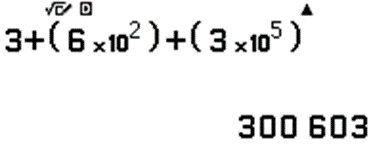
CW Scientific Calculators:
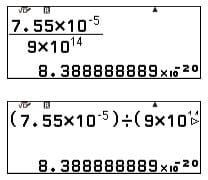
When calculating with standard form, the calculator is programmed to follow BIDMAS. Therefore, it is important to either add parentheses (brackets) or use the fraction button.
Upgraded CW+ Scientific Calculators:
Press Catalog and then look under the Numeric Calc menu to find the % option.
To quickly access the % symbol, press [SHIFT] Catalog and select the appropriate shortcut.
CW Scientific Calculators:
Press Catalog and then look under the Numeric Calc menu to find the % option.
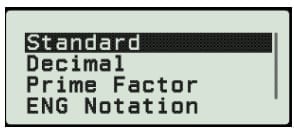
Easier than before, simply type the number, press exe, shift then format and choose prime factor. From this menu you can also convert numbers to other forms:
Additional information
We expect there to be very little stock available in any retail or reseller channels from Sept 2026. Therefore we continue to advise all schools, teachers, parents and students to select the corresponding upgraded new ClassWiz+ model.
Yes. The new ClassWiz+ calculators have the same functions and specification as their predecessors. The user interface has been updated to reflect the logic and app-based intuitive learning that many students experience in their day-to-day lives and other modern devices.
The fx-991CW+ UK is now the ultimate scientific calculator in the UK. It has all the features and functionality of fx-83/85GT CW+ embedded and more advanced functionality.
Please visit this page where we provide videos and resources as well as access to teacher training webinars and very much want to support transition to the new ClassWiz models.