Back to Main Menu




Casio calculators compared – from year 7 to A-level
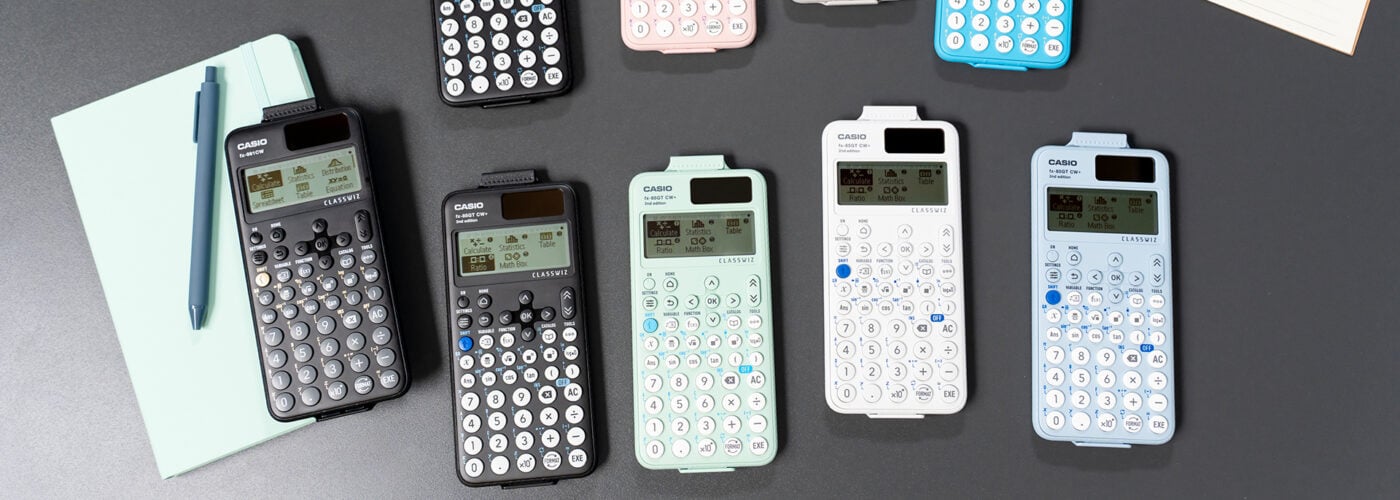
The right calculator choice isn’t just about features – it’s about giving students the support they need at each stage of their maths education.
From the earliest phases of year 7 all the way up to A-level, Casio calculators are designed to help students in different ways as their confidence, understanding and ambition develop.
In this article, we’ll look at how specific models support learning at key points, and why each one has an important role to play in the classroom.
Building confidence from the start: fx-83GT CW+ and fx-85GT CW+
For students progressing through the early years of their secondary education and preparing for GCSEs, the fx-83GT CW+ and fx-85GT CW+ are dependable scientific calculators that do the fundamentals extremely well. These are the handsets many students first get used to using regularly, and that familiarity can provide a crucial foundation if they move on to using more advanced calculators later.
In practical terms, these models support the core operations students will rely on throughout their secondary maths education, including:
- Calculations with fractions, decimals and percentages
- Operations involving ratios
- Entering and working with functions using f(x) and g(x)
- Creating tables of values from defined functions
- Basic statistical calculations such as mean, median and standard deviation
These are the bread-and-butter skills students will return to again and again, particularly when preparing for exam papers that allow calculator use. Having a reliable scientific calculator that handles these tasks clearly and consistently helps reduce uncertainty and keeps the focus on mathematical thinking rather than button pressing.
Commenting on the importance of students starting to build their calculator fluency early on, Casio training instructor and former teacher Simon May said: “The sooner they get hold of a calculator, the more effective a tool it will be for them, because they’ll quickly build familiarity with how to use it.
“In responses to questions, they will be more comfortable with those default movements and asking where the calculator can help them out.”
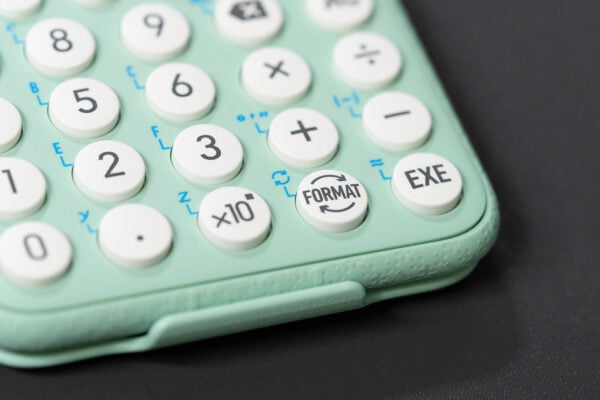
As part of the recently launched ClassWiz+ range, these entry-level calculators have also been refined in response to teacher feedback. For example, updated FORMAT key functionality allows students to instantly convert between standard and decimal forms with a single key press, while pressing SHIFT and FORMAT accesses the menu, streamlining a process teachers highlighted as important.
Shortcuts have been introduced across all menus, while pressing SHIFT and CATALOG now brings up a full list of available functionality, making it easier for students to find what they need.
The range also places a focus on sustainability, with fx-85GT CW+ handsets made using between 45% and 90% recycled materials. Combined with their reliability and ease of use, the fx-83GT CW+ and fx-85GT CW+ remain true workhorse calculators, helping students build strong foundations and good habits from the start of their secondary maths journey.
Stepping up to higher-level study: fx-991CW+ UK
For students tackling the most advanced GCSE content and thinking about taking A-level maths, the fx-991CW+ UK offers a step up in capability from entry-level handsets, while retaining the familiarity of a scientific calculator.
With the launch of the ClassWiz+ range, this model’s functionality has been refined to make it the ultimate UK scientific calculator. Capabilities have been expanded to include all core operations teachers and students will regularly need at GCSE, such as greatest common divisor, lowest common multiple and recurring decimals.
This makes it a practical upgrade for learners who are working at a higher level and want more flexibility without having to shift to a different style of calculator.
The fx-991CW+ UK also offers features that aren’t available on the fx-83GT CW+ and fx-85GT CW+, including:
- Equation solving
- Matrix arithmetic
- Numerical calculus
- Complex numbers
- Derivatives
For students tackling advanced GCSE topics, these functions can save time, support checking and encourage more independent problem solving.
The fx-991CW+ UK is certainly powerful enough to support A-level maths study. However, for students who want to go further – particularly in areas where visualisation and graphing deepen understanding – a graphic calculator is the natural next step.
Seeing advanced maths more clearly: fx-CG100
One of our key goals with the launch of the fx-CG100 graphic calculator was to bring our most powerful graphing handset closer in line with the wider ClassWiz range.
That means students who have previously used a ClassWiz or ClassWiz+ scientific calculator have access to the same menu-based navigation, key layout and generally intuitive feel that they’re already familiar with.
This supports an easier transition from GCSE to A-level maths. It frees up students to focus on the topics the calculator can help them explore, rather than the details of how to operate it.
From there, the fx-CG100 can open up a whole new level of mathematical exploration and discovery. As our most advanced graphic calculator, it’s designed to support the depth and complexity of learning at A-level.
Below are just a few key highlights of this model’s functionality.
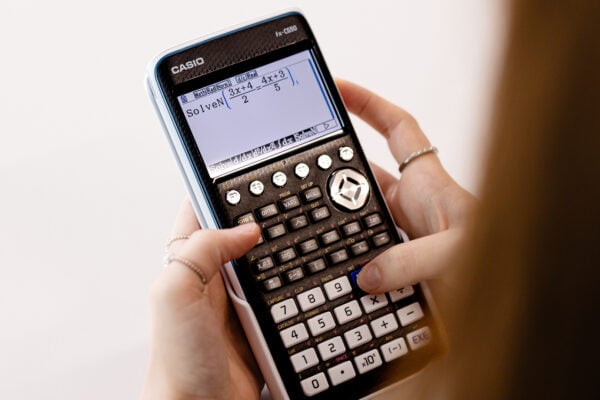
SolveN
SolveN can find multiple solutions to equations and present them as exact values. Instead of working from a single starting estimate and receiving one decimal answer, students can see multiple relevant solutions clearly, whether expressed as surds, fractions or in terms of π. This can be particularly helpful when checking trigonometric or polynomial equations under exam conditions.
Graph&Table
Students can define a function, view its graph and generate a table of values all within the Graph&Table app, switching between representations using the tab keys. When exploring how changing a parameter affects a curve, or when linking algebraic expressions to numerical outputs, this quick movement between views helps reinforce understanding in a clear and intuitive way.
Distribution
The Distribution app allows students to explore Binomial, Normal, Poisson and other distributions visually before committing to calculations. Seeing the shape of a distribution alongside probability values can make abstract concepts feel more concrete, especially for students who benefit from a visual starting point.
Recursion and 3D Graph
Recursion supports the investigation of sequences and series, while 3D Graph enables students to explore functions in three dimensions. These tools are both good examples of how the fx-CG100 can extend that sense of exploration further. They help students unpack questions, test ideas and approach exam problems with greater confidence and independence.
Simon noted: “The fx-CG100 is a really powerful handset, and it’s perfectly applicable to GCSE as well as A-level.
“Starting to use it at GCSE is a good idea for students who will be going on to A-level maths, which is when the functionality of the fx-CG100 really starts to come into its own as the topics get harder.”
We offer a range of resources to help you and your students make the best possible use of whichever calculators you choose to use.
That includes collections of videos and other materials dedicated to the:
We also host free training webinars giving an introduction to the key features of the fx-CG100, which you can sign up for here