Back to Main Menu




Calculator consistency: why ClassWiz+ won’t disrupt lessons

If you’ve ever taught a class where students are using different calculators, you’ll already know the issues it can cause. Lessons slow down, explanations become harder to follow and students can quickly lose confidence if their calculator doesn’t behave the way they expect.
Casio has long highlighted the importance of consistency in the classroom. With the introduction of the ClassWiz+ range, we understand that teachers may have questions about how these new models fit into that picture.
In this blog, we take a look at why mixed calculators remain a challenge in the classroom and, crucially, how ClassWiz+ handsets work alongside existing ClassWiz models with minimal disruption.
Why calculator consistency matters
Using a range of different calculators in the classroom rarely saves time. In fact, it usually does the opposite. When key layouts, menus and functions vary, simple demonstrations take longer and you’re likely to end up fielding questions that have little to do with the maths you’re teaching.
You might demonstrate a method at the board, talk students through the calculator steps, then realise half the class is stuck because their calculator looks or behaves differently. Some students will move ahead confidently while others fall behind, not because they don’t understand the maths, but because using their calculator is proving a hindrance rather than a help.
Over time, these issues can have a serious impact. You’ll spend valuable minutes rephrasing instructions, checking individual screens or trying to recall how a particular model works. That’s time that could be spent teaching, investigating or supporting learning.
For students, frustration will soon set in when their calculator doesn’t match your modelling and instructions. This can create uncertainty around tasks they would otherwise find manageable, particularly under exam pressure or when learning independently.
These are concerns that many education professionals share. In fact, 77% of teachers agree that students using different calculators in lessons impacts teaching and learning. That’s why we’ve consistently promoted the idea that using the same calculator across a class helps keep lessons efficient, fair and focused on the maths, not the technology.
So what about ClassWiz+?
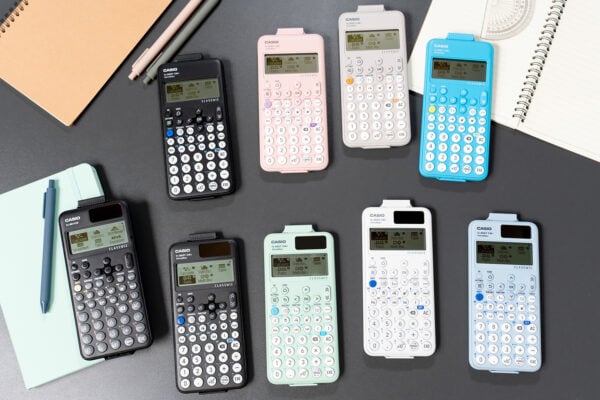
ClassWiz+ is the next step in the ClassWiz scientific calculator range. It builds on what you’ll already know about these handsets, while introducing some practical improvements to support and complement classroom use, rather than complicate it.
One of the most noticeable updates relates to the Format key. This now allows you and your students to convert between standard and decimal form with a single press, just like the old S↔D key. If you need more options, pressing SHIFT and FORMAT opens the full conversion menu, including sexagesimal form.
Navigation has also been simplified. Students can now press SHIFT and CATALOG to view all available functionality in one place, making it easier to find what they need without hunting through menus. Shortcuts within menus help speed things up further, removing the need for scrolling.
The ClassWiz+ range has also been designed with sustainability in mind. The fx-85GT CW+ is made from 45% to 90% recycled materials, reflecting a move towards more environmentally conscious classroom technology.
Importantly, these updates don’t mean starting again. ClassWiz+ has been designed as an upgrade, not a departure. If your classes are already using ClassWiz calculators, you can rest assured that the aim is familiarity first, with improvements that feel intuitive rather than disruptive.
Built on the same logic
At the heart of all ClassWiz+ handsets is the same fundamental logic that underpins the existing ClassWiz range. That’s why using a mix of ClassWiz and ClassWiz+ calculators should cause minimal disruption in your lessons.
The essential operations, inputs and mathematical thinking remain the same. The steps you demonstrate and the workflows you explain will still apply, whether students are:
- Simplifying fractions or recurring decimals
- Converting between exact values and decimals
- Using the f(x) key for functions
- Working with powers, roots or standard form
- Generating tables of values to support graph work
The calculator supports the maths in the same way, even if the route to a function is slightly more streamlined on newer models.
This means you don’t need to rethink how you teach core topics or adjust explanations depending on which calculator a student has. Your instructions remain relevant, and students can stay focused on the mathematics rather than the mechanics of their device.
Getting familiar with ClassWiz+
To help you get comfortable with ClassWiz+, we’re making a range of practical support available, designed to fit around teachers’ busy schedules.
There will be a series of short launch webinars providing all the essential details about these new models. You can find full details and register here.
We’ve also created a collection of ‘Get started with ClassWiz+’ resources, focusing on:
- Using the FORMAT key
- Navigating the fx-991CW+ UK
- Upgrades to the fx-991CW+ UK and the entry-level fx-83GT CW+ and fx-85GT CW+
These resources are designed to be quick to access and easy to apply, so you can explore what’s new without spending more time than necessary.